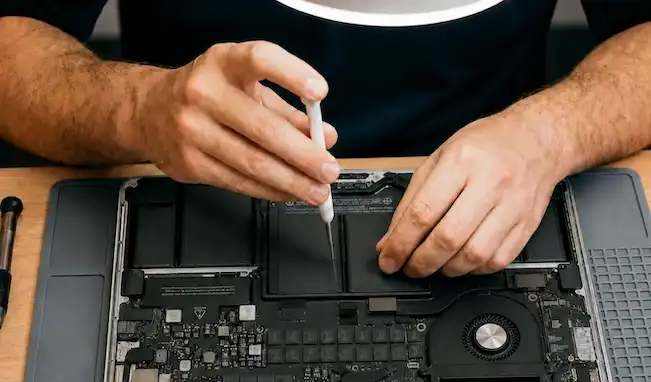
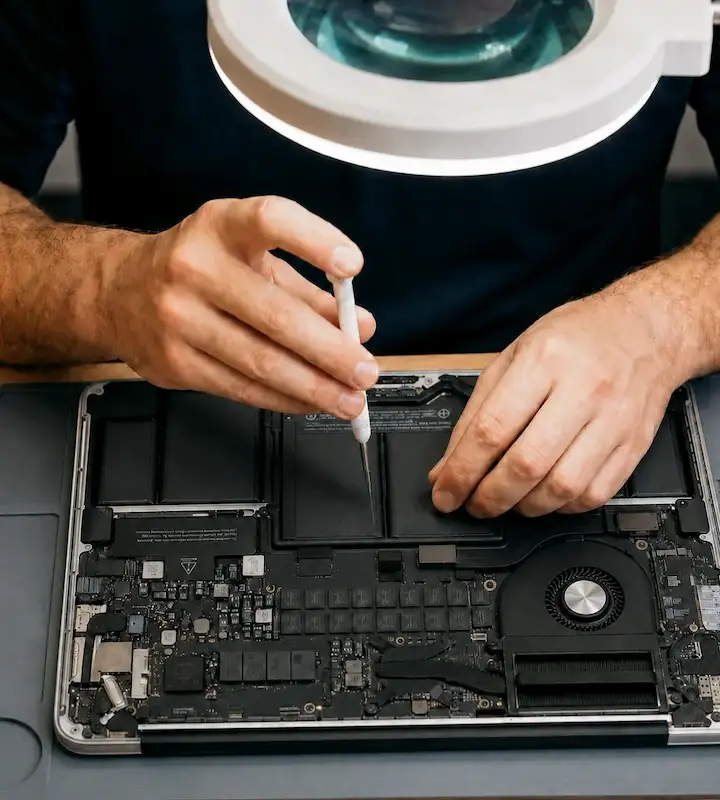
MacBook Repair in Chicago
MacBook not turning on? Screen went black? Spilled something on it? eRepair has been fixing MacBooks of all ages in Wicker Park since 2011. We fix MacBooks Apple won't touch, recover data other shops gave up on, and give you a straight answer before we charge you anything.
What to expect
Walk in or book online
No deposit, no commitment. Come in anytime Monday through Saturday or schedule ahead to hold your spot. Either way we're ready for you.
Free assessment, honest answer
We look at your MacBook, talk through what's happening, and tell you exactly what's wrong. No charge for the assessment, no obligation to proceed.
You get a full quote, you decide
We give you a clear price before anything is touched. For complex repairs like logic board or liquid damage, a diagnostic fee applies and goes toward the repair if you move forward.
We repair it, you pick it up
Most parts arrive within two to three business days. Once the part is in, most repairs are done the same day or next. We'll keep you updated the whole way through.






"Cleaning your phone's charging port is a simple but often overlooked maintenance step that can keep your device running smoothly and prevent unnecessary repair costs."
Sam Devia, eRepair · quoted in Martha StewartMacBook not working? Bring it in before you replace it.
Before you spend hundreds at the Apple Store or write off your machine entirely, bring it in. We'll assess it for free, tell you exactly what's wrong and what it costs to fix, and let you decide. No pressure, no obligation.
Most shops replace boards. We repair them. Whether it's a failed charging component, liquid damage at the component level, or a machine Apple classified as too old to touch. We work at a level most repair shops don't attempt. That's where the repairs that matter tend to happen.
Walk-ins welcome Monday through Saturday 10am to 5:30pm, or book online to hold your spot. Rush service available when you're up against a deadline.
We fix MacBooks that other shops and Apple said couldn't be fixed
Some of our best repairs start with a customer who was already told no. Here are six real examples from our shop.
MacBook won't charge
A customer's MacBook stopped charging completely. Apple said it was a port issue and that they only replace the full board, not repair it. A third-party shop replaced the port anyway. Still dead. They told her the board was gone. She brought it to us. We identified the actual failed component, a board-level repair most shops don't attempt, and had it working in under three days with all data intact. The culprit was a cheap off-brand charger that had damaged it over time.
MacBook keys sticking or not working
A customer's MacBook Pro had several keys sticking and not responding. Apple quoted a full keyboard housing replacement, a two-week turnaround that required shipping the machine out. We replaced only the affected individual keys in-store in two days at roughly a quarter of Apple's price. He left the same week with a fully working keyboard and never had to give up his machine.
MacBook cracked screen, assignment due in four days
A college student dropped their MacBook and cracked the screen with a major assignment due in four days. The Apple-authorized center quoted a week and a half, genuine parts only. We offered a perfectly functioning refurbished screen at half the price and had it repaired in one day with rush service. They walked out with a working MacBook and enough time to finish their assignment. Safe to say they probably graduated. We hope.
MacBook screen black after liquid spill
A water bottle opened in a customer's bag and soaked their MacBook. Apple had them ship it out. Two weeks later they were told the board needed a full replacement at the cost of a new machine. They brought it to us. We performed a board-level liquid damage repair, restored the affected components, and returned the MacBook with all data completely intact at a fraction of what Apple quoted.
Older MacBook Apple turned away
A customer booked an appointment, made the trip to an Apple-authorized center, and was turned away at the door because their 2014 MacBook Pro was too old to service. We don't have a cutoff date. We assessed the machine, replaced the battery that had stopped holding a charge, and sent them home in two days with a fully working MacBook and every file intact.
MacBook screen goes black when fully opened
A customer's MacBook display worked fine when the lid was slightly open but went completely black when opened all the way. A third-party shop quoted them a full screen replacement. We diagnosed it as a cable issue connected to the hinge, not the screen itself. We fixed it without touching the screen at roughly half what they were quoted elsewhere. The screen was never the problem.
MacBook problems we fix every day
If your MacBook has any of these issues, bring it in or book a free assessment:
- MacBook won't turn on or is completely dead
- MacBook not charging or battery drains instantly
- Black screen, blank screen, or display not working
- Screen flickering, lines on screen, or image distortion
- MacBook running slow or freezing up
- Keys sticking, not responding, or broken
- Liquid damage, coffee spill, or water damage
- MacBook overheating or fan running constantly
- Data recovery from a MacBook that won't boot
- Cracked or damaged screen replacement
- Software issues, macOS crashes, or virus removal
- Older MacBook models Apple no longer supports
Genuine parts or quality aftermarket, you choose
Authorized repair shops are required to use only genuine Apple parts. That sounds reassuring, but it also means higher prices -- and for older MacBooks it sometimes means being turned away entirely because parts are no longer available through official channels.
At eRepair we give you the choice. Genuine Apple parts when that's the right call. High-quality aftermarket or refurbished parts when you want a repair that makes financial sense. We'll show you both prices and let you decide.
Genuine parts only. Locked pricing. Older models often turned away. No flexibility on cost.
Brand New Genuine, Refurbished, or Aftermarket. Your choice. All MacBook ages accepted. You control the budget.
What's the difference between screen options?
Brand new part built by a third-party supplier. Not an Apple component. No Apple logo on the back of the screen.
Colors less vibrant. Brightness noticeably lower. White balance won't match. You'll see the difference.
Settings → General → About will show a "part could not be verified" notice. Does not affect performance.
Genuine Apple panel from a donor machine. Same part Apple used in your MacBook. Tested before installation.
New, sealed Apple part. Same as refurbished, just never been installed.
| Category |
Aftermarket
Budget option
|
Refurbished
Middle ground
|
Brand New Genuine
OEM quality
|
|---|---|---|---|
| Pricing | Lowest cost | Mid-range | Most expensive |
| Part source |
Third-party manufactured
Brand new part built by a third-party supplier. Not an Apple component. No Apple logo on the back of the screen. |
Original Apple part (used)
Genuine Apple panel removed from a donor machine. Same part Apple used in your MacBook. Inspected and tested before installation. |
Original Apple part (new)
New, sealed Apple part sourced through Apple's authorized parts program. Same part as refurbished, just never been installed. |
| Display quality |
⚠ Lower quality
Colors are less vibrant. Brightness is noticeably lower than the original panel. White balance and color temperature will not match the rest of the machine. You'll see the difference. |
✓ Identical to original
Same Apple panel with factory color calibration. Brightness, color accuracy, and white balance are exactly what came out of the factory. |
✓ Identical to original
Same Apple panel with factory color calibration. Brightness, color accuracy, and white balance are exactly what came out of the factory. |
| True Tone |
⚠ Not supported
True Tone will not work with an aftermarket screen. The panel cannot communicate with Apple's ambient light system. |
✓ Fully supported
True Tone works exactly as it did before. Same Apple panel, same sensor pairing. |
✓ Fully supported
True Tone works exactly as it did before. Same Apple panel, same sensor pairing. |
| Durability |
⚠ Less durable
Third-party glass and coatings are not built to the same standard. More prone to cracking on impact and more likely to show wear over time. |
✓ Apple-grade
Same glass, same coating, same build as the original. Already proven in a working machine. |
✓ Apple-grade
Same glass, same coating, same build as the original. Factory new condition. |
| Apple parts notice |
⚠ Notification shown
Your MacBook will show a notification that a part could not be verified. This appears in Settings → General → About. This does not affect how your MacBook works. Your screen will function normally. |
✓ No notice shown
Both refurbished and brand new genuine parts are original Apple components. They register as verified in Settings → General → About. Your MacBook confirms an authentic Apple component was installed. |
|
More on how we source parts
Brand New Genuine parts come through Apple's authorized parts program. Availability is controlled entirely by Apple. They don't supply parts for many models, including some recent ones. When they're available and the cost makes sense for your repair, it's the cleanest option. When they're not available or priced significantly higher than the alternatives, we'll tell you exactly that.
Refurbished parts are original Apple components removed from donor machines that have been inspected and tested. The part itself is genuine Apple: the same panel, the same battery cell, the same keyboard assembly. For screens specifically, color calibration is indistinguishable from a new genuine panel because it is the same panel.
Aftermarket parts are manufactured by third-party suppliers to fit your MacBook's dimensions and connectors. The Apple Parts Notice notification is worth understanding. It appears in Settings → General → About and stays there permanently. It doesn't affect performance, but it's visible, and we'd rather you know before the repair than after. We use reputable suppliers and won't install anything we wouldn't put in our own machine.
We believe every MacBook deserves a second life, whether it's six months old or six years old. We'll show you every option and let you pick what makes sense for your wallet.
Real repairs from our shop
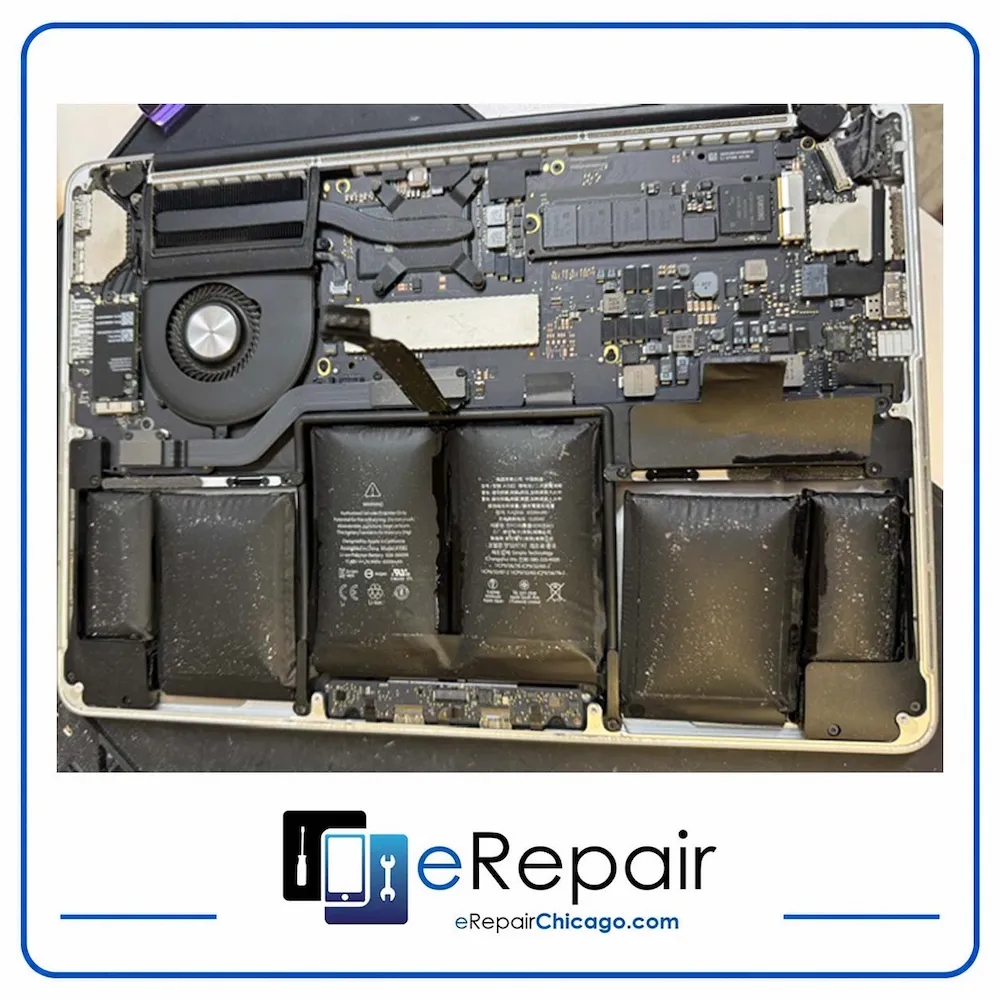
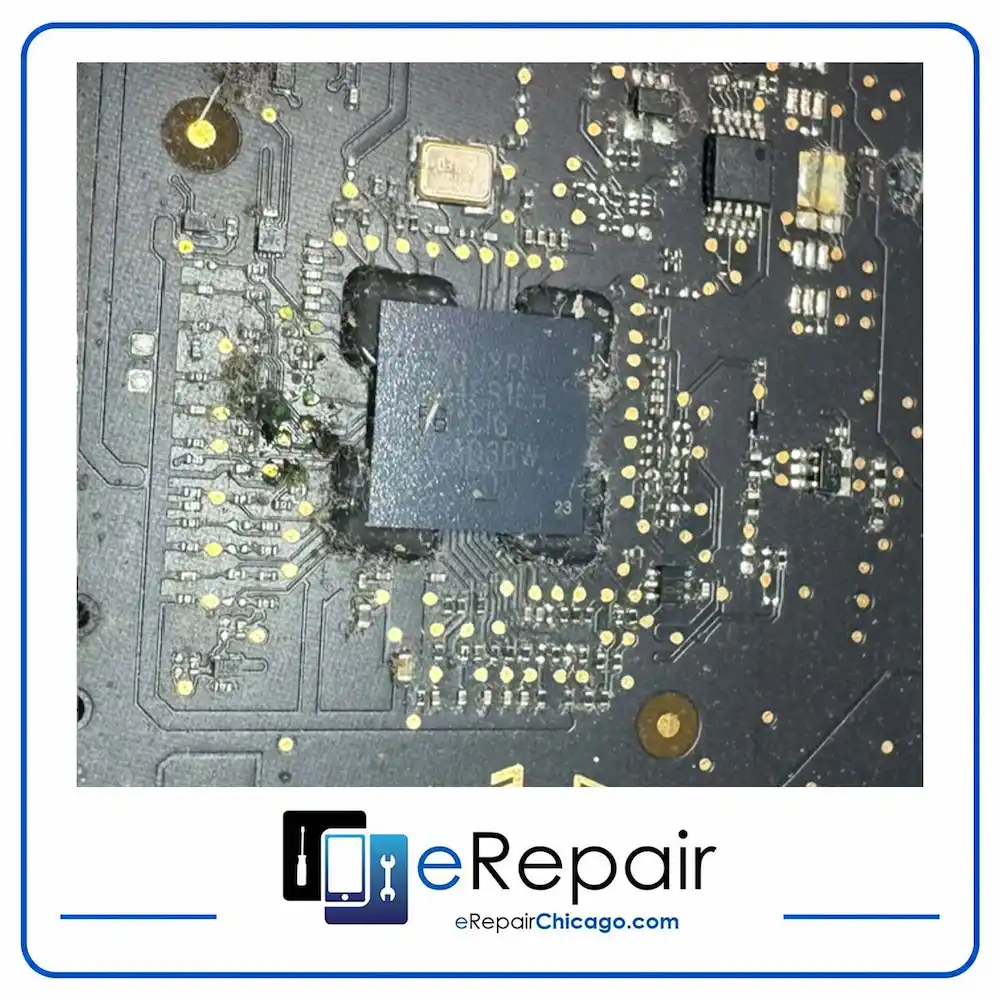
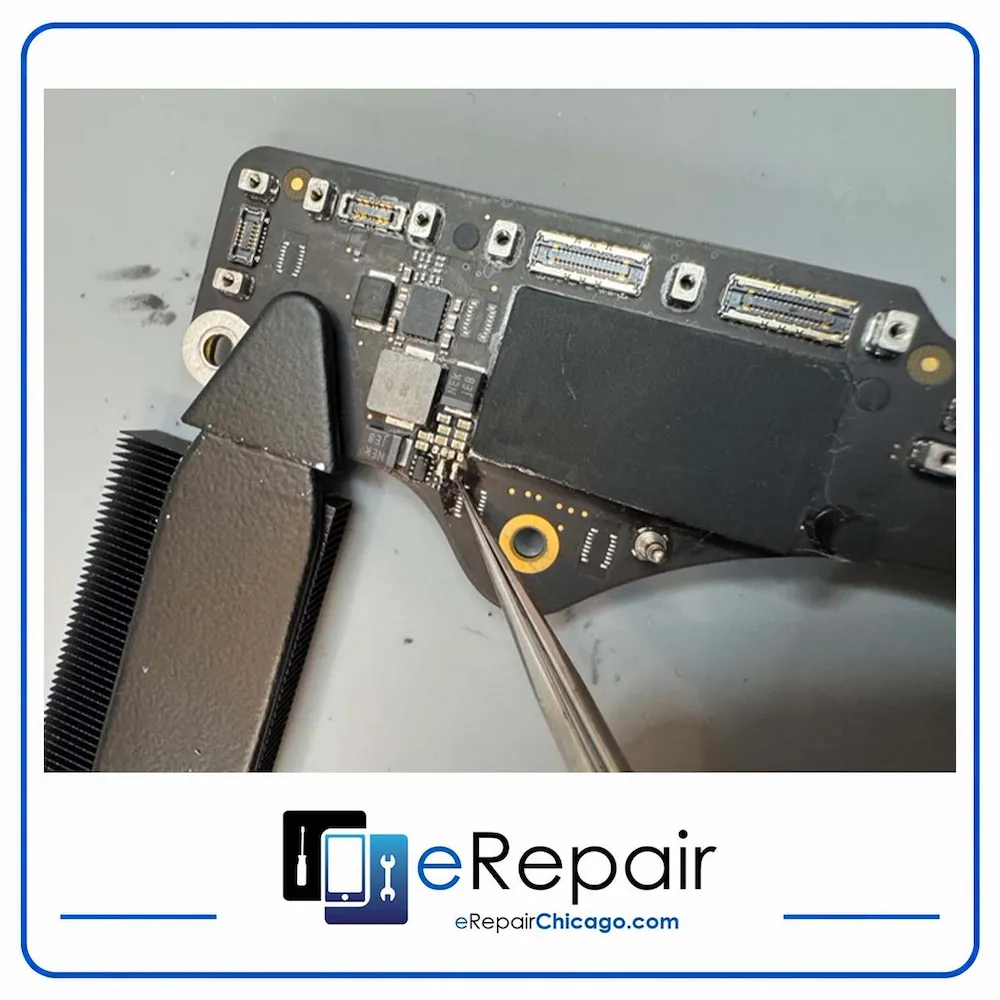
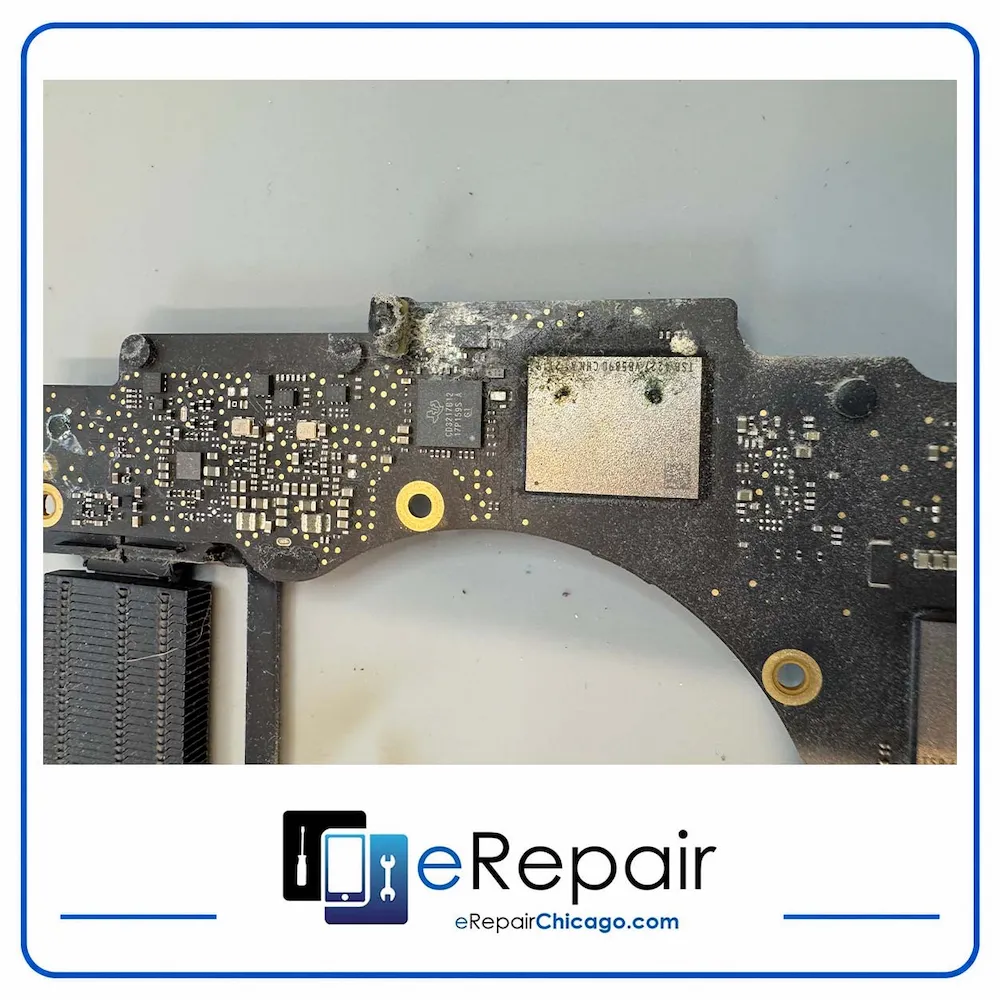
These are actual MacBooks brought in by Chicago customers, not stock photos.
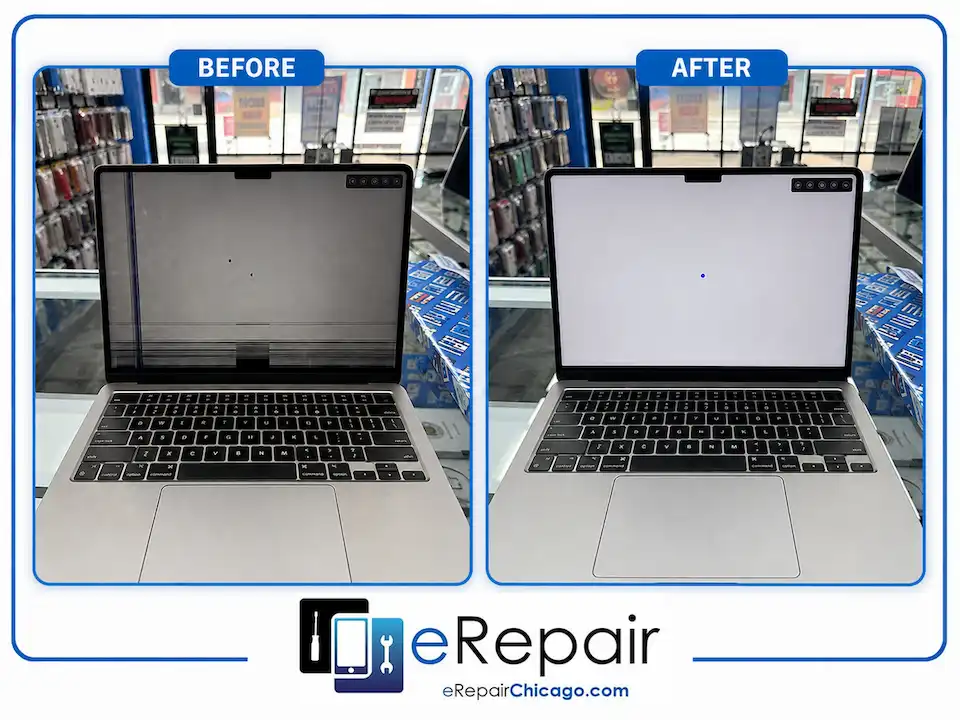
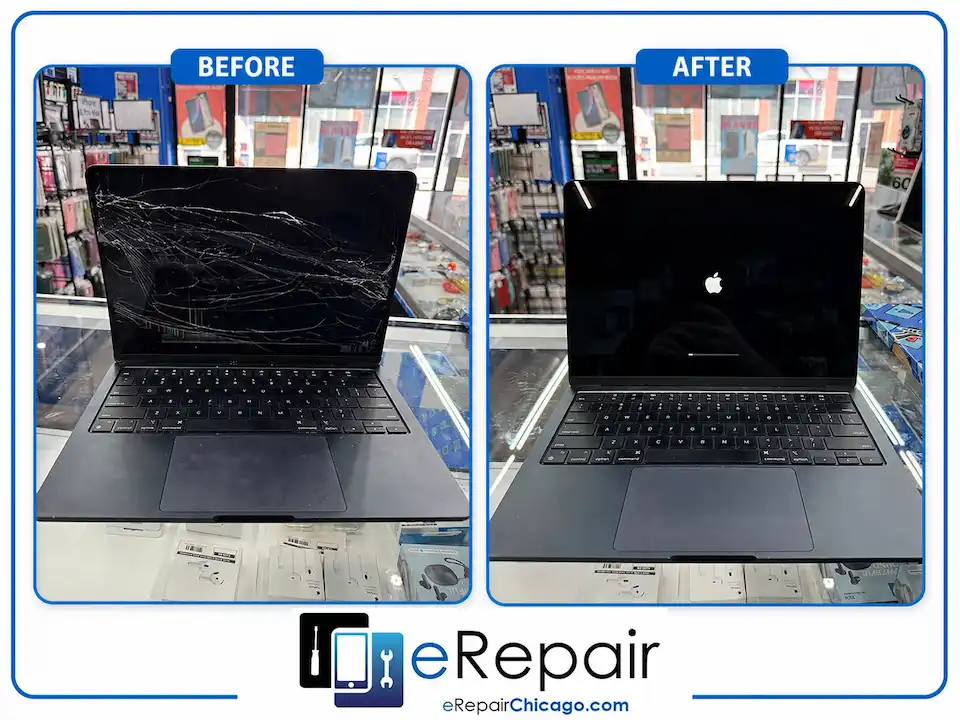
Component-level MacBook repair
Component-level repair and recovery on machines other shops would replace. Photos are real repairs from our Wicker Park shop.
What Chicago MacBook owners are saying
Don't take our word for it. Here's what real customers have said about their experience at eRepair.
"Sam fixed my MacBook for a third of the price I was quoted elsewhere. He was patient, explained the issue clearly, and helped me understand my options. Can't recommend highly enough."
"I spilled water on my MacBook Pro and was panicking. Sam took it apart, examined it thoroughly, and got it working again. I thought I needed a new machine. I didn't."
"Sam guided me through the options and helped me pick what was best for replacing my MacBook screen. The process was quick, within the day, and the text updates were really helpful."
"They fixed the battery on my MacBook and it works perfectly. Saved me from investing in a new one. I will recommend them to everyone I know that needs tech repair."
"Had to replace the battery on my MacBook. Called Friday, part was ordered, repaired by Tuesday. Very easy process. 10/10 would recommend."
"Best in Wicker Park, West Town, and the North Side for sure. Sam was incredibly friendly and helpful. Don't go anywhere else for your tech repair needs."
Frequently asked questions about MacBook repair at eRepair
No, and that's by design. Being independent means we have full control over which repairs we take on, which parts we source, and which machines we accept. Our technicians have over 15 years of hands-on MacBook experience and work at a level most shops don't attempt. We can offer you multiple part options at different price points, perform component-level board work in-house, and accept MacBook models of any age. We built our reputation on the repairs other shops passed on.
Not always. A MacBook that won't charge is one of the most misdiagnosed repairs in the industry. A lot of shops default to full board replacement because component-level work takes specialized skill and equipment. We do that work in-house, which is why we can often fix charging issues other shops gave up on. We've traced what looked like a dead board down to a single failed component more times than we can count. Bring it in for a free assessment before you approve an expensive board replacement anywhere.
In most cases, yes. The worst thing you can do after a spill is try to power the MacBook on, which can cause further damage to the board. If you bring it to us quickly, we can open it up, assess what the liquid reached, clean and repair the affected components, and in most cases return it fully working with all data intact. We've done this hundreds of times. A lot of shops will quote you a full replacement because they don't do board-level liquid damage work. We'll tell you what's actually going on first.
Yes, on both MacBook Air and MacBook Pro models. The standard industry approach for keyboard issues is a full top case replacement, which is expensive and often requires shipping your machine out for up to two weeks. In most cases we can replace only the affected individual keys in-store in one to two days at a fraction of that cost. Bring it in and we'll take a look before quoting you anything.
This is usually a cable issue connected to the hinge, not the screen itself. It's one of the most common misdiagnoses we see, and it affects multiple MacBook Air and Pro models across different generations. Shops that don't do a thorough diagnosis will quote you a full screen replacement you don't need. We've fixed this exact issue without touching the screen at roughly half the cost of what other shops quoted. A free assessment will confirm the cause before any work starts.
Yes. Once a MacBook reaches a certain age, many shops stop servicing it entirely because parts become harder to source and manufacturer support ends. We don't have an age cutoff. One of our most memorable repairs was a 2010 MacBook where no power was reaching the battery at all -- a board-level issue that most shops wouldn't attempt. We fixed it. If your machine still has value to you, bring it in and we'll give you an honest assessment of what's possible.
It's more complicated than a yes or no. We source through an authorized Apple parts supplier, but the reality is that parts availability varies widely by model and year. For the parts that aren't available through official channels, we use premium aftermarket components that meet or exceed OEM standards. All batteries we install are brand new regardless of the source. We'll always tell you exactly what part is going into your machine and give you the choice where options exist.
Pricing depends on the model and the repair. As a general guide: screen replacements typically range from $300 to $600, with larger MacBook Pro models using genuine screens running $600 to $800. Battery replacements generally run $150 to $200. Keyboard repairs range from $80 to $400 depending on the model and how many keys are affected. Charging port repairs typically fall between $150 and $300. We'll give you an exact quote after your free assessment before any work begins.
Repair time depends on the part. Because MacBooks come in so many models and configurations, we order the specific part for your machine after the assessment. Most parts arrive within two to three business days. Once the part is in, most repairs are completed the same day or next day. We'll give you a clear timeline after your assessment so you know exactly what to expect.
We'll always tell you honestly why. In most cases the reason is that the damage is too extensive and the cost of repair would exceed the value of the machine. When that happens we'll walk you through your options clearly. If your data is intact we can recover it. Our diagnostic fee applies regardless of outcome because skilled technicians dedicate real time to assessing every machine, and that expertise has value whether or not the repair moves forward. We'll never leave you without a clear answer.
Yes, for most repairs. Screen replacements, battery replacements, keyboard repairs, and touchpad repairs come with a one-year warranty on parts and labor. For logic board and liquid damage repairs the warranty is assessed case by case, typically 30 to 90 days depending on the complexity of the work. We will always tell you exactly where things stand before you approve anything. We also strongly recommend backing up your MacBook before any repair if your device is still functional.
For most standard repairs like screen replacements, battery swaps, and keyboard work, your data is not touched and remains completely safe. For more complex repairs involving the logic board or liquid damage, we take every precaution, but we always recommend backing up your data before any repair if your MacBook is still functional enough to do so. If your MacBook is already not turning on and you're worried about your files, data recovery is a separate service we offer and we'll walk you through what's possible after the assessment.
Walk-ins are always welcome. Bring your MacBook into our shop at 1719 W North Ave in Wicker Park any time during business hours, Monday through Saturday 10am to 5:30pm. We're closed on Sundays. If you'd prefer to plan ahead or are coming in for a more complex repair, you can also book online to hold your spot. We're a short walk from the Damen Blue Line stop and street parking on North Ave is usually easy to find.
MacBook Pro repair and MacBook Air repair in Chicago
Whether you're bringing in a MacBook Pro with a failing logic board or a MacBook Air with a cracked screen, the repair process is the same: free assessment, exact quote, your approval before anything starts. We work on every MacBook Pro and MacBook Air model, including older machines other shops no longer service. Intel or Apple Silicon, Retina or non-Retina, Touch Bar or no Touch Bar. If it's a MacBook, we can look at it.
MacBook models we repair
Every MacBook model from 2008 forward. MacBook Air models include the original 2008 design through the 2026 M5 and M5 Pro. MacBook Pro models include the 2008 Intel models through the 2026 M5 Pro and M5 Max. We also repair the 2015-2019 12-inch MacBook, the new 2026 MacBook Neo, and the 2006-2010 white and aluminum unibody MacBooks. Intel processors, Apple Silicon (M1, M2, M3, M4, M5), Retina or non-Retina, Touch Bar or no Touch Bar. If it's a MacBook, we work on it.
Your Wicker Park MacBook repair shop since 2011
eRepair has been at 1719 W North Ave for over a decade. We're not a franchise. No policies preventing us from attempting a repair, no requirement to ship your machine away, and no reason to push you toward a replacement you don't need. We also handle iPhone repair in Chicago if you have multiple devices that need work.
A real technician looks at your MacBook. You get a real answer. If it can be fixed, we'll fix it. Learn more about our approach.
Serving MacBook owners across Chicago's North Side. Easy to reach from Bucktown, Ukrainian Village, Logan Square, Noble Square, and River West. Free street parking on North Ave and a short walk from the Damen Blue Line stop. See location details.
Get Directions